Overview
I built a native macOS app without writing a single line of Swift myself.
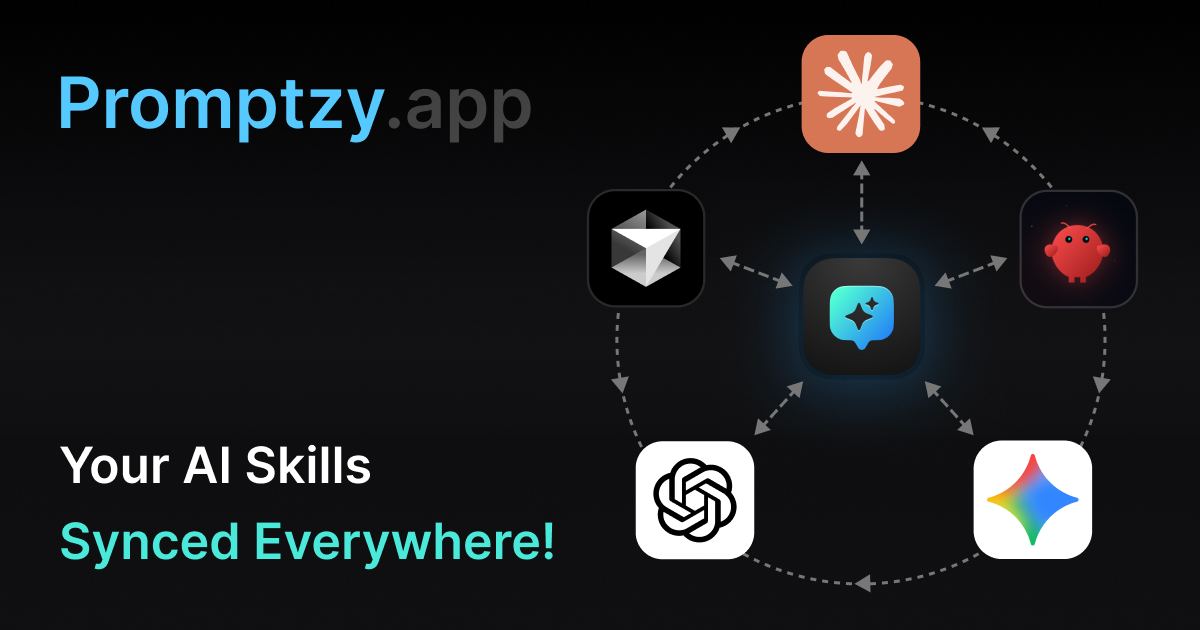
Promptzy started as a personal itch. Every AI tool I use (ChatGPT, Claude, Cursor, OpenClaw) has its own skill and prompt management, but they're all siloed. Nothing syncs. I was maintaining the same skills across multiple tools, losing track of what worked, and rebuilding libraries every time I tried a new app. So I built a sync manager that sits underneath all of them: a native macOS app that bidirectionally syncs your AI skills across Claude, Cursor, OpenClaw, and more. Create a skill in one tool, it shows up everywhere.
What makes this project different: I used AI as my entire development team. Claude wrote the PRD and technical architecture. Cursor implemented every line of Rust and React. I directed the entire process, making every design, product, and business decision, while AI handled the implementation.
Preview
Promptzy Preview
This promo video was 100% AI-generated using Remotion, a React-based framework for programmatic video.
The Problem
Every AI tool manages prompts — none of them talk to each other.
ChatGPT has custom instructions. Claude has projects. Cursor has rules and skills. OpenClaw has its own system. Every tool has built some version of skill management, but they're all walled gardens. Create a skill in Claude and it doesn't exist in Cursor. Edit one in OpenClaw and the others don't know. You end up maintaining the same skills in multiple places, or just giving up and rewriting from scratch every time.
I wanted one source of truth that syncs everywhere: create or edit a skill in any connected app and it updates across all the others automatically. Plain Markdown files I own, bidirectional sync with every AI tool, and zero manual copy-paste. Nothing on the market did this.
What I Built
One source of truth. Every AI tool.
Promptzy is the sync manager that sits underneath all your AI tools. Skills live as plain Markdown files on your Mac and sync bidirectionally with Claude, Cursor, OpenClaw, and more. Create once, use everywhere. Here's what makes it work:
- Bidirectional AI App Sync Create a skill in Claude, it appears in Cursor. Edit it in OpenClaw, it updates everywhere. Promptzy syncs skills across AI apps automatically with conflict resolution and real-time sync status.
- Sync Connectors Connect Claude, Cursor, OpenClaw, ChatGPT, Gemini, VS Code, Copilot, Windsurfer, Perplexity, and more. Free users get 1 connector, Pro unlocks unlimited.
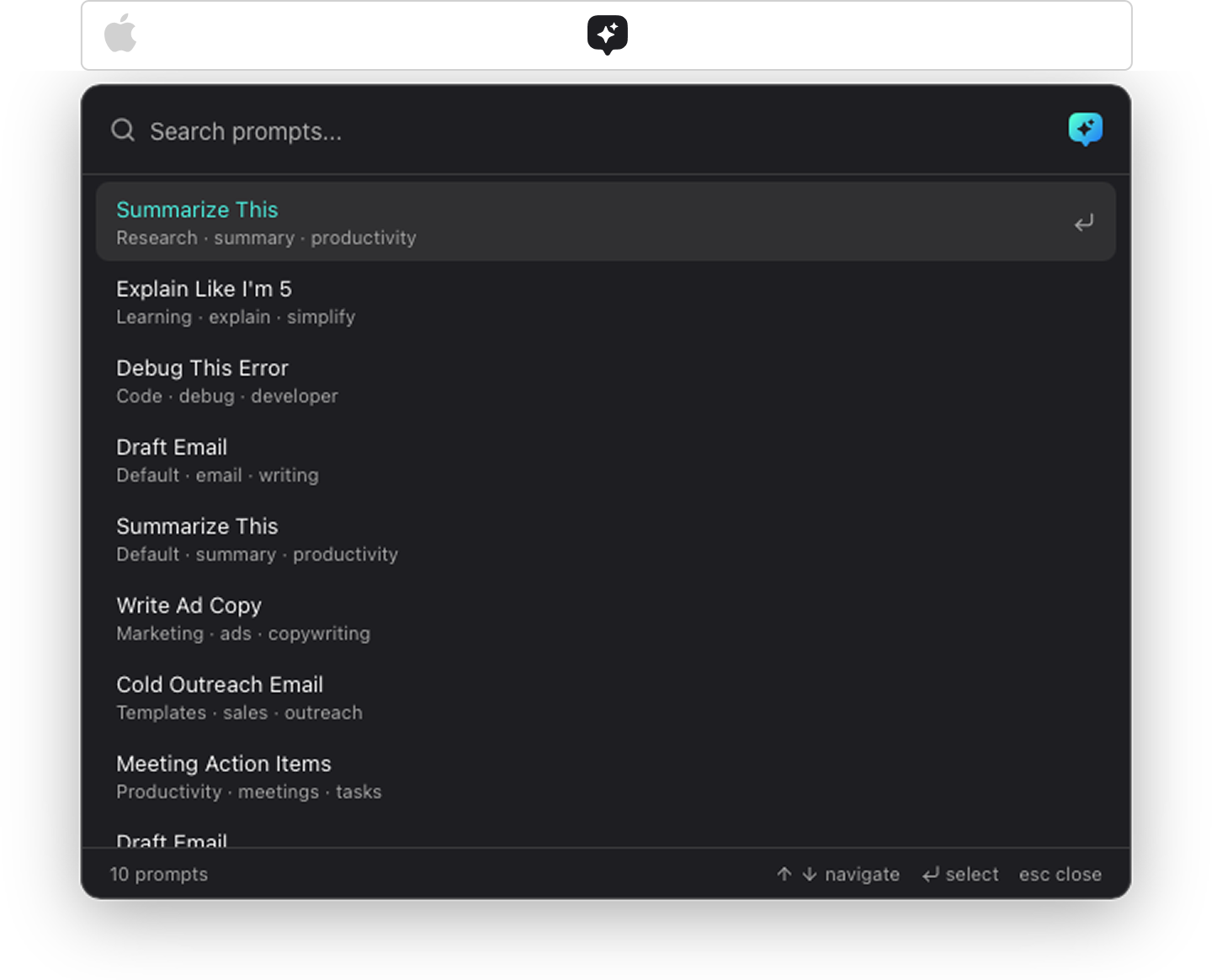
- Global Quick Launcher (⌘⇧P) One shortcut opens Promptzy from any app. Search, select, and insert a skill directly into your active text field. No switching, no copy-paste.
- Per-Prompt Global Shortcuts Assign a dedicated hotkey to any skill. It fires system-wide from any app, inserting the resolved content instantly.
- Plain Markdown Storage Every skill is a
.mdfile in a folder you control. No lock-in, no proprietary formats. Your data, your files. - Dynamic Tokens Skills support live tokens like
{{clipboard}},{{date}},{{time}}, and custom variables like{{topic}}that resolve at paste time. - Role-Based Onboarding New users pick their role (Designer, Developer, PM, etc.) and get 10 tailored starter skills seeded automatically. Pro users unlock 20 more.
- Freemium Model 10 free skills with 1 app sync connector and core features. Pro unlocks unlimited skills, unlimited sync connectors, per-skill shortcuts, custom variables, and iCloud sync for $5 one-time.
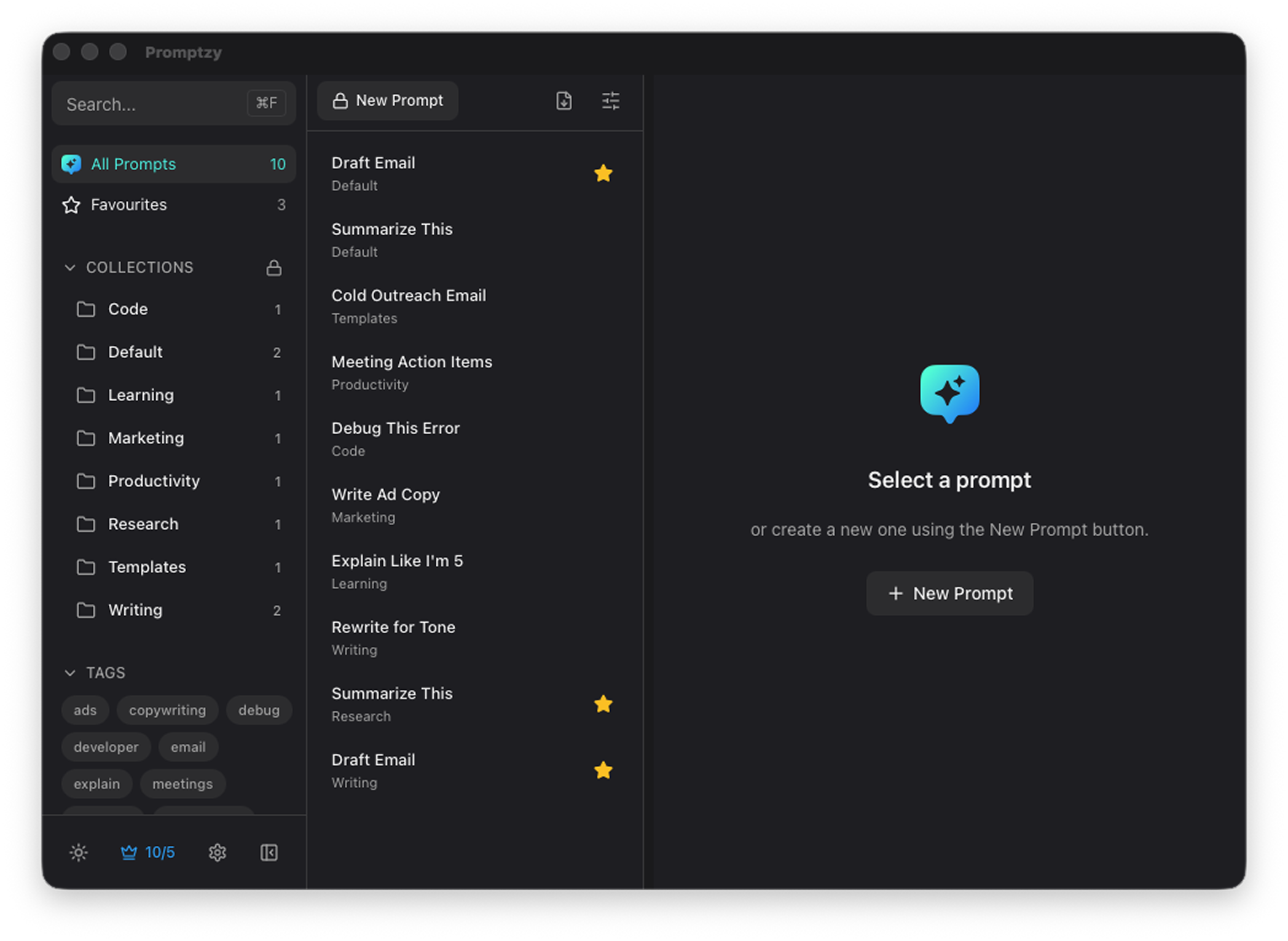
- iCloud Sync Skills stay in sync across all your Macs via iCloud Drive.
- Import/Export CSV and Markdown import for bringing in existing libraries, plus export for backup and sharing across machines.
Core Interaction
The Global Quick Launcher
The heart of Promptzy is the Quick Launcher, a Spotlight-like search bar that opens with a global keyboard shortcut. Start typing, fuzzy-match your prompts, hit Enter, and the prompt is pasted directly into whatever app you're working in. The entire interaction takes under two seconds.
How I Built It
AI was my entire engineering team.
This project is a proof point for what a single designer can ship when AI handles the implementation. Here's how the stack worked:
The AI Stack
Two tools. One builder. Full product.
Claude: Strategy & Architecture
Wrote the product requirements document, defined the technical architecture, researched macOS APIs, and helped debug complex Rust and system-level issues through conversation.
Cursor: Implementation
Implemented every line of Rust and React. Built the entire codebase: UI components, data layer, system integrations, payment flows, and release automation.
What I directed: every design, product, and business decision
AI wrote the code, but I made every decision that shaped the product:
- UX & interaction design How the Quick Launcher feels, animation timing, keyboard navigation flows
- Visual design Dark/light themes, typography, spacing, iconography, App Store creative
- Product scoping What to build, what to cut, feature prioritization for v1.0
- Business model Freemium structure, pricing, what gates the paywall
- Architecture decisions Local-first with optional sync, Markdown as the file format, menubar vs. standalone app
- Quality bar Reviewed and refined every interaction until it felt right
Under the hood
The app is more complex than it looks. Some of the deeper systems AI helped build:


- Bidirectional Sync Engine Watches connected AI tools for changes, detects new or edited skills, and pushes updates across all connected apps with conflict resolution
- macOS Accessibility API The paste-to-active-app feature uses the macOS Accessibility framework to inject text into any focused text field, system-wide
- Paddle integration In-app purchase flow with embedded checkout overlay, license validation, and freemium gating via Paddle's Billing API
- iCloud Drive sync CloudKit-backed sync for prompt libraries across devices, with conflict resolution
- Tauri auto-updater Silent background updates with minisign signature verification for secure non-App Store distribution
- Dynamic Token Engine Live interpolation of
{{clipboard}},{{date}},{{time}}, and{{datetime}}tokens resolved at paste time - Global Shortcut Recorder Custom per-prompt hotkeys with physical-key detection, handling Option+key edge cases on macOS
- Role-Based Prompt Seeding 16 role profiles, each with 10 free starter prompts and 20 additional Pro prompts curated per role
- MCP Server A built-in Model Context Protocol server that lets Claude and other AI tools read and search your prompt library directly
Results
One designer. Zero engineers. Full product.
Reflection
An experiment in doing everything with AI.
Promptzy started as a prompt library and evolved into something bigger: a full bidirectional sync manager for AI skills across every tool. It was my way of stress-testing every AI tool available: Claude for strategy, Cursor for code, Remotion for video. I wanted to see what one designer can actually ship alone. It taught me where AI accelerates the work, where it falls short, and what it takes to build something real without an engineering team.